

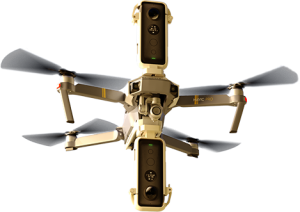

When your footage doesn’t have any ceiling or moving objects above it’s quite easy to mask out the drone. In Adobe Premiere just extract a frame (Ctrl+Shift+E) :

In Photoshop you open the exported frame and select ‘Distort > Polar Coordinates‘ :

This will turn the image from Rectangular to Polar and allow you to edit out the drone.

If you are lazy you can use the Healing Brush (J) but a Clone Stamp (S) does a better job.
Now we turn the picture back into Rectangular with ‘Distort > Polar Coordinates‘ :

Depending on how long your drone was and the amount of sky you have to remove select the area and feather it (I used 75 pixels here) :

If you now delete (Ctrl-X) that area you end up with a clean sky mask :

Save that as a .PNG (one of the formats that will keep the transparency in alpha) and drop it above your footage in Premiere to see the drone removed :

Here’s the result :
Juste énorme !!!
C’est pourtant si simple mais il fallait y penser… !!
Le résultat est juste tellement beau !
Merci Jean-Marie !!
Just huge !!!
It is so simple but you had to think about it … !!
The result is just so beautiful!
Thank you Jean-Marie !!
but is it stil 360 after the edit ?
Hi,
That’s the idea of course.
In Premiere you can flag that it’s a VR video on export.
If that’s not possible you have to ‘inject’ the metadata to the file after export.
Just Google ‘Inject 360 Metadata’, there’s a lot of info about it.
I’m using the ‘Spatial Media Metadata Injector’ myself if a codec doesn’t allow it :
https://support.google.com/jump/answer/7044297?hl=en
awesome! thanks!